












TruStar Connect
One platform for the whole safety program. Built by a practicing safety professional, hosted in Canada, and priced transparently with the full platform on every plan.
- Protects your WCB rebate by keeping COR evidence audit-ready
- Full platform on every plan, no locked features
- Your data hosted in Canada
14-day free trial. No credit card required.
Everything your safety program needs
Forms & Inspections
Build digital forms and run inspections from any device, online or off.
Incident Investigations
AI-assisted root cause analysis that catches bias and weak corrective actions.
Permits to Work
Full permit lifecycle with public QR monitoring, from issue to close-out.
COR / SECOR Readiness
Track the elements and requirements, and keep your audit evidence in one place.
Daily Reports
Branded daily reports with weather, photos, and email or PDF delivery.
Training Matrix
Track certifications and expiries so nobody works out of ticket.
New Worker Mentorship
Track short service workers from hire through a signed agreement, competency evaluation, and graduation sign-off.
Crew Scheduling
Assign rotations and see who is on shift, with fatigue and certification expiry flags.
Hazard Register & Controls
Log site hazards and the controls that manage them, linked to the work they affect.
Documents
A controlled document library, available offline, with AI-assisted SDS search.
TruStar One Card
A verifiable digital worker card with a public QR verification page.
Offline Mode
Keep working in the field with no signal, then sync when you reconnect.
Curious how the AI investigations work under the hood? See the TruStar Method, screen by screen.
See it in motion
The whole platform, in your pocket and on your desk.
The same app on every device, online or off. Scroll through the screens your team uses every day.
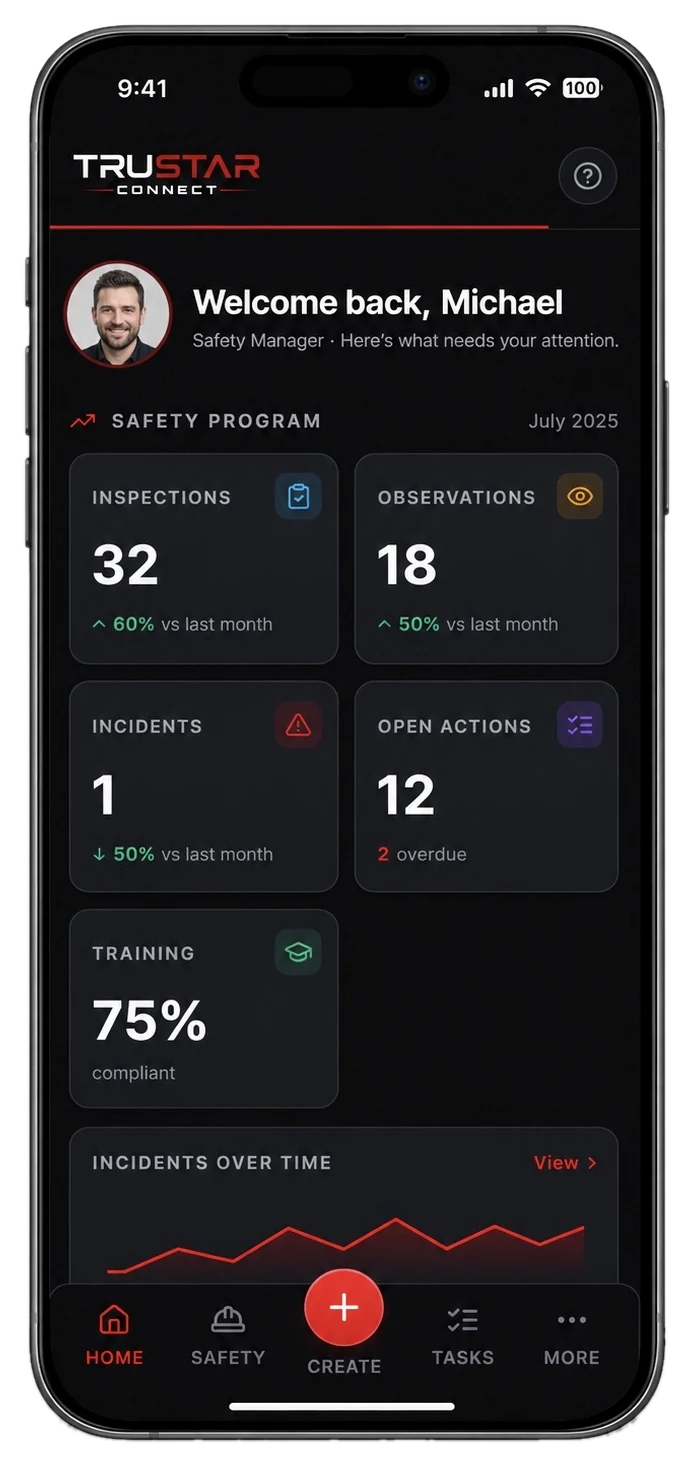
One place
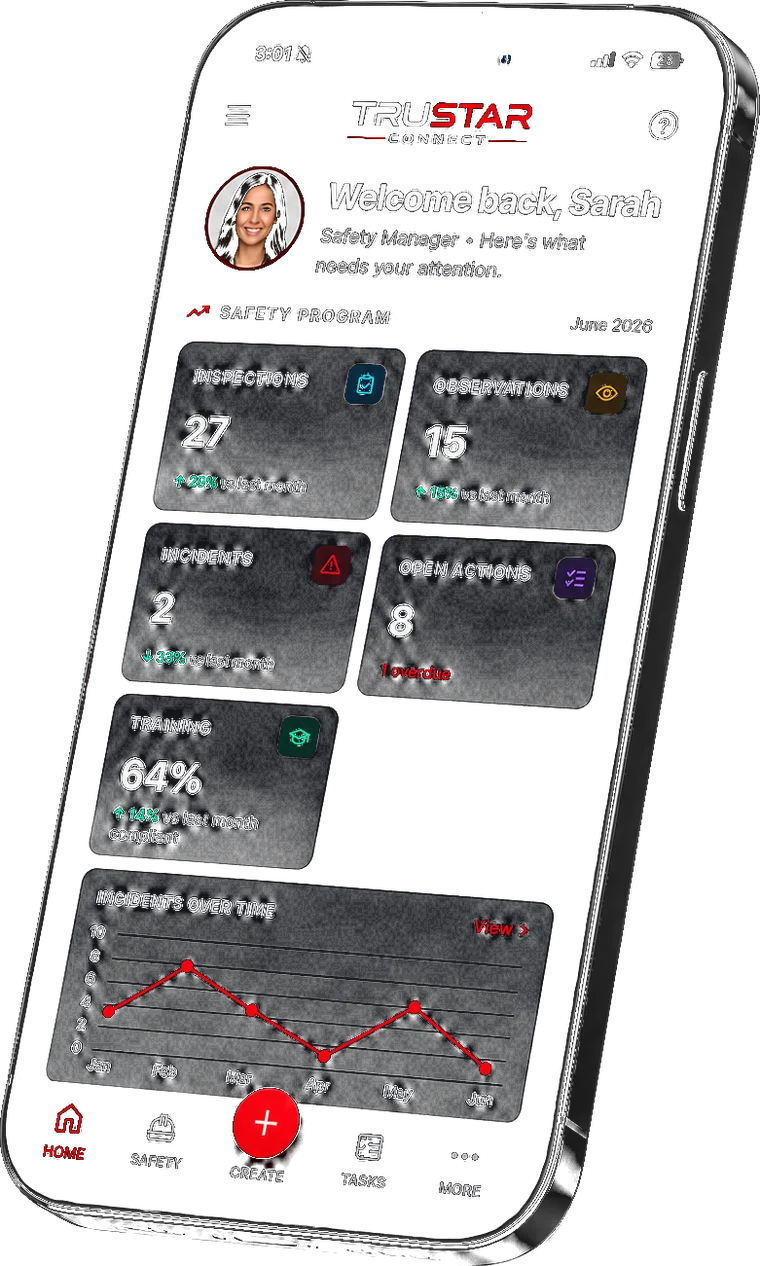
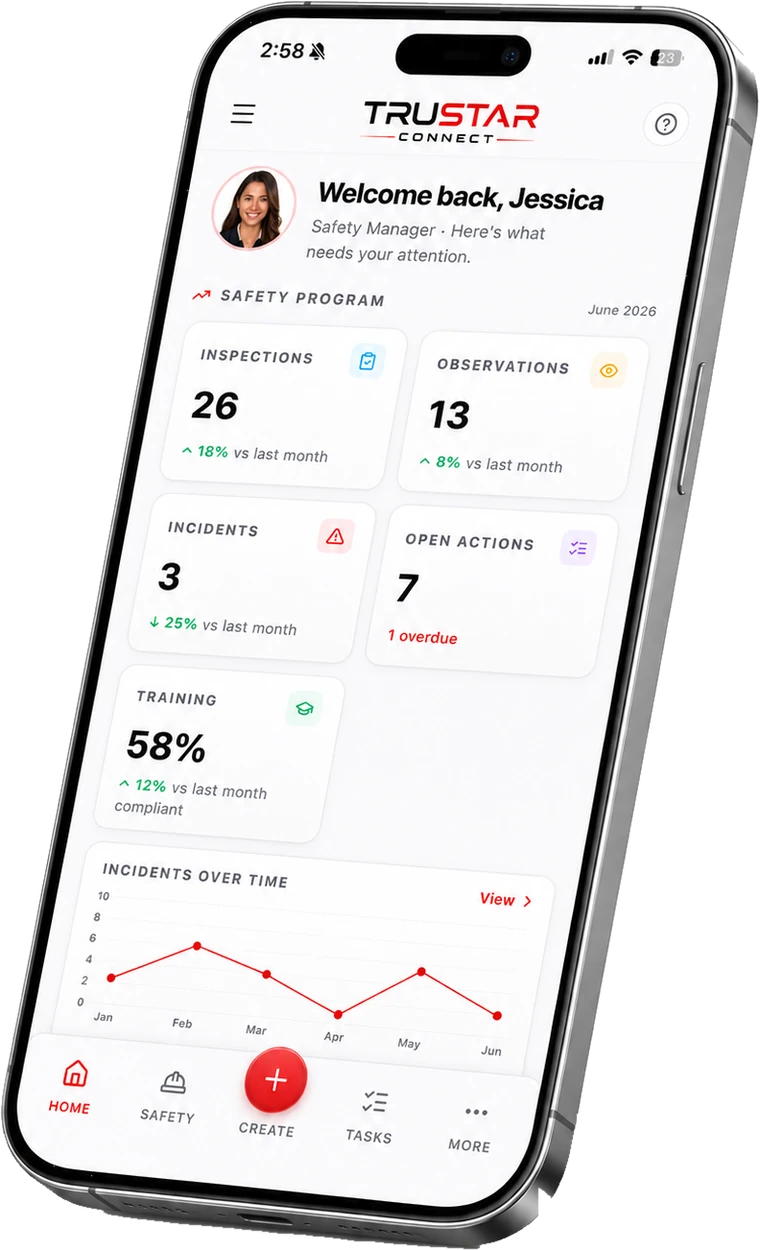
Your whole program, at a glance.
The home screen surfaces exactly what needs attention: inspections, observations, open incidents, the corrective actions on your plate, and where training stands. Nothing falls through the cracks.
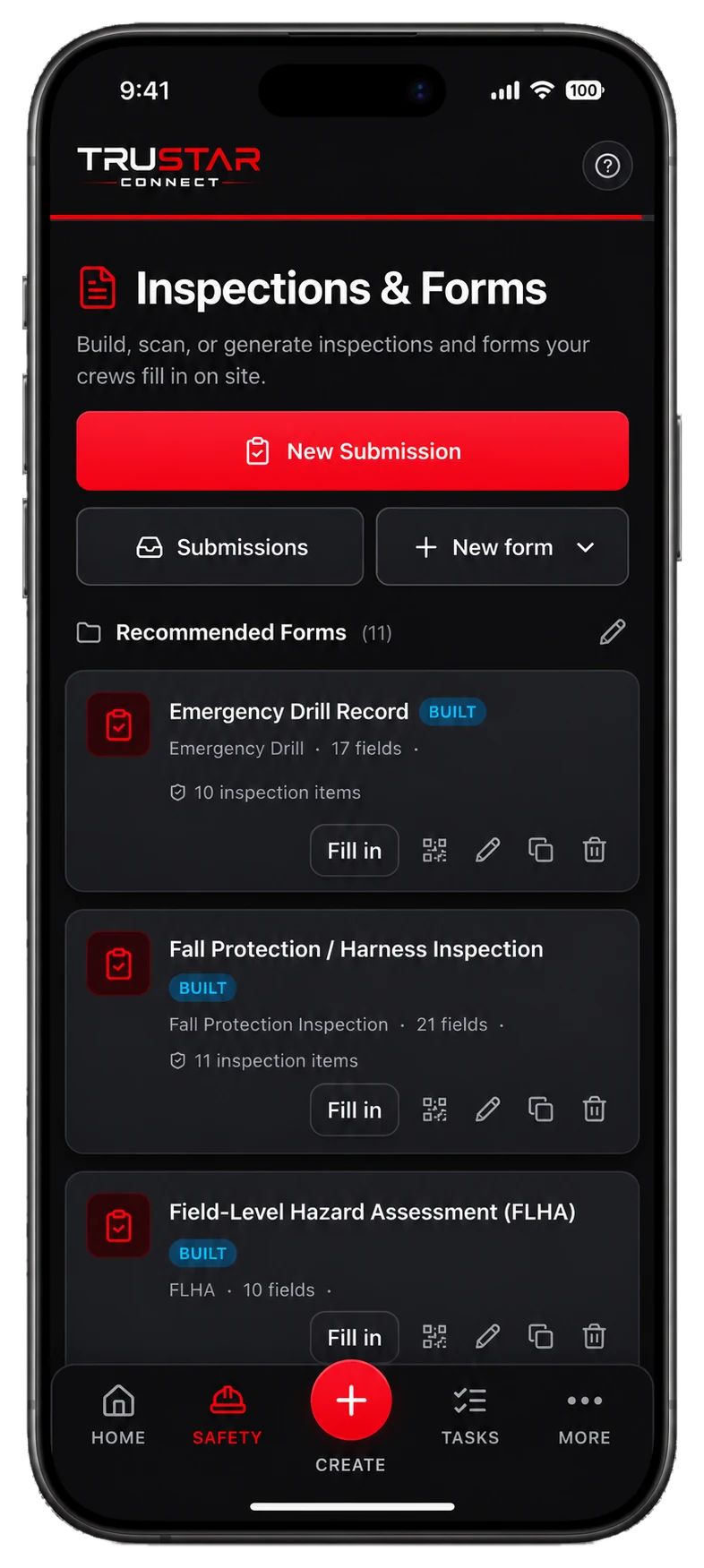
Inspections & Forms
Build, scan, or generate a form.
Build by hand, photograph a paper form and let AI rebuild it, or describe what you need and AI drafts the fields. Your crews fill them in on site, with inspection items that auto-flag deficiencies.
Investigations & AI Root Cause
From evidence to root cause.
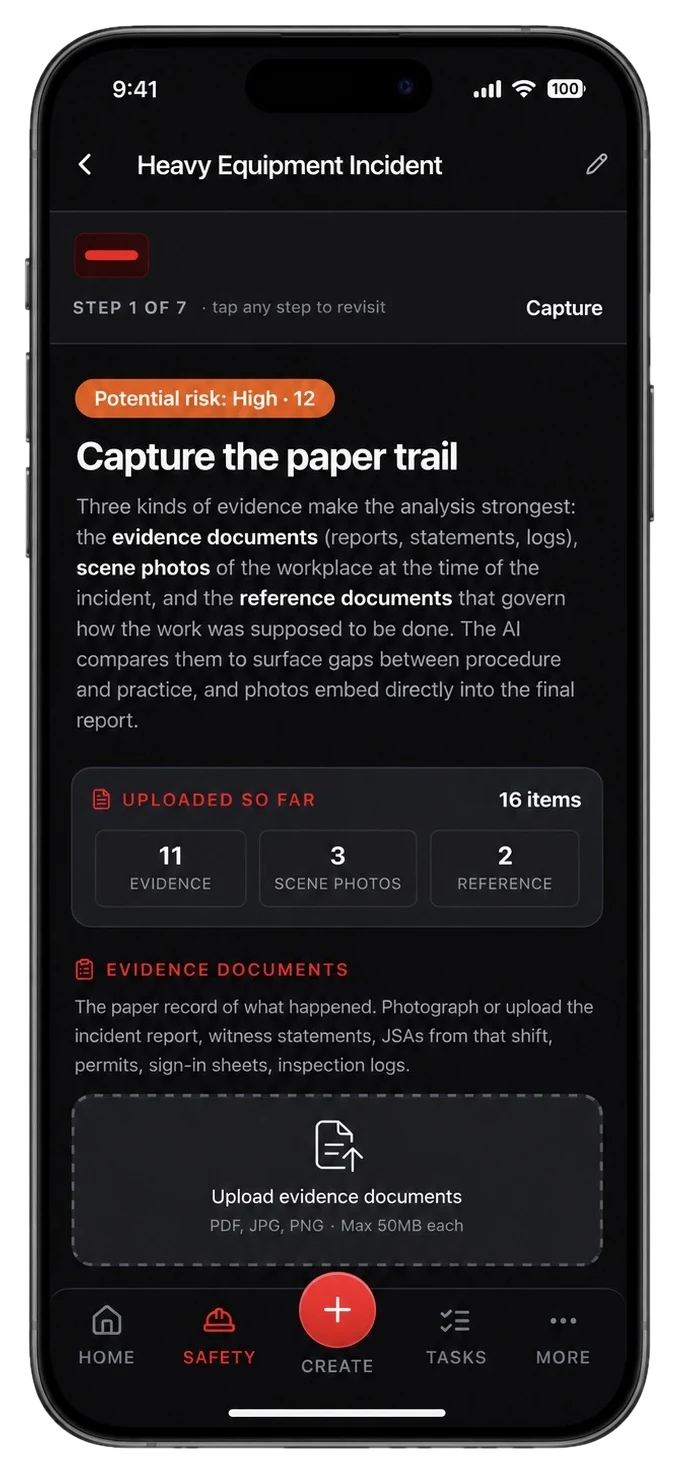
A guided investigation walks the team from evidence to root cause. AI compares your evidence, scene photos, and the reference documents that govern the work to surface the gaps between procedure and practice. A modern alternative to legacy RCA tools.
Permits to Work
Issue and track every permit.
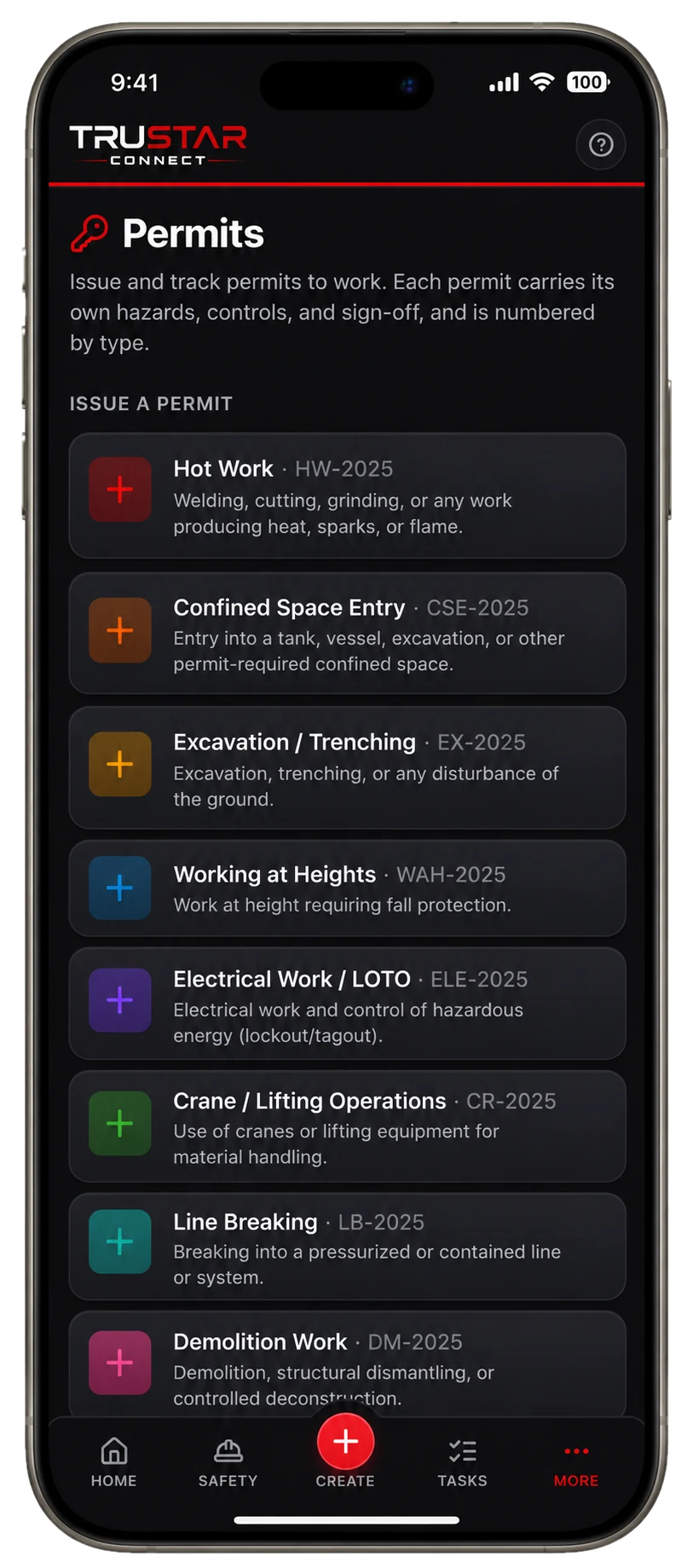
Hot work, confined space, working at heights, LOTO, and more, each with its own hazards, controls, and sign-off. A public QR page lets anyone monitor an active permit in the field.
COR & SECOR Readiness
Know where you stand before the audit.
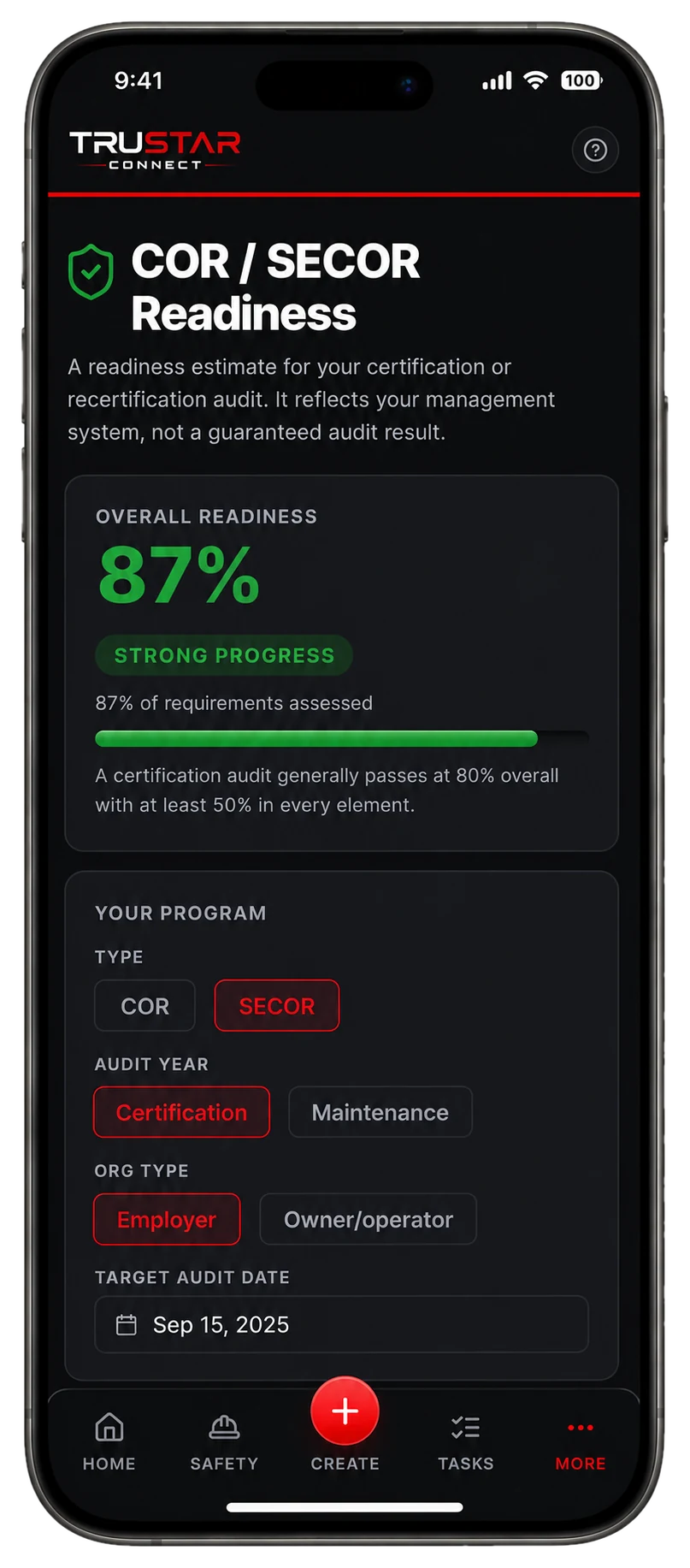
A live readiness estimate scores your management system against the latest audit standard, element by element, against the 80% overall and 50% per-element bar. No surprises on audit day.
Offline Mode
No signal? Keep working.
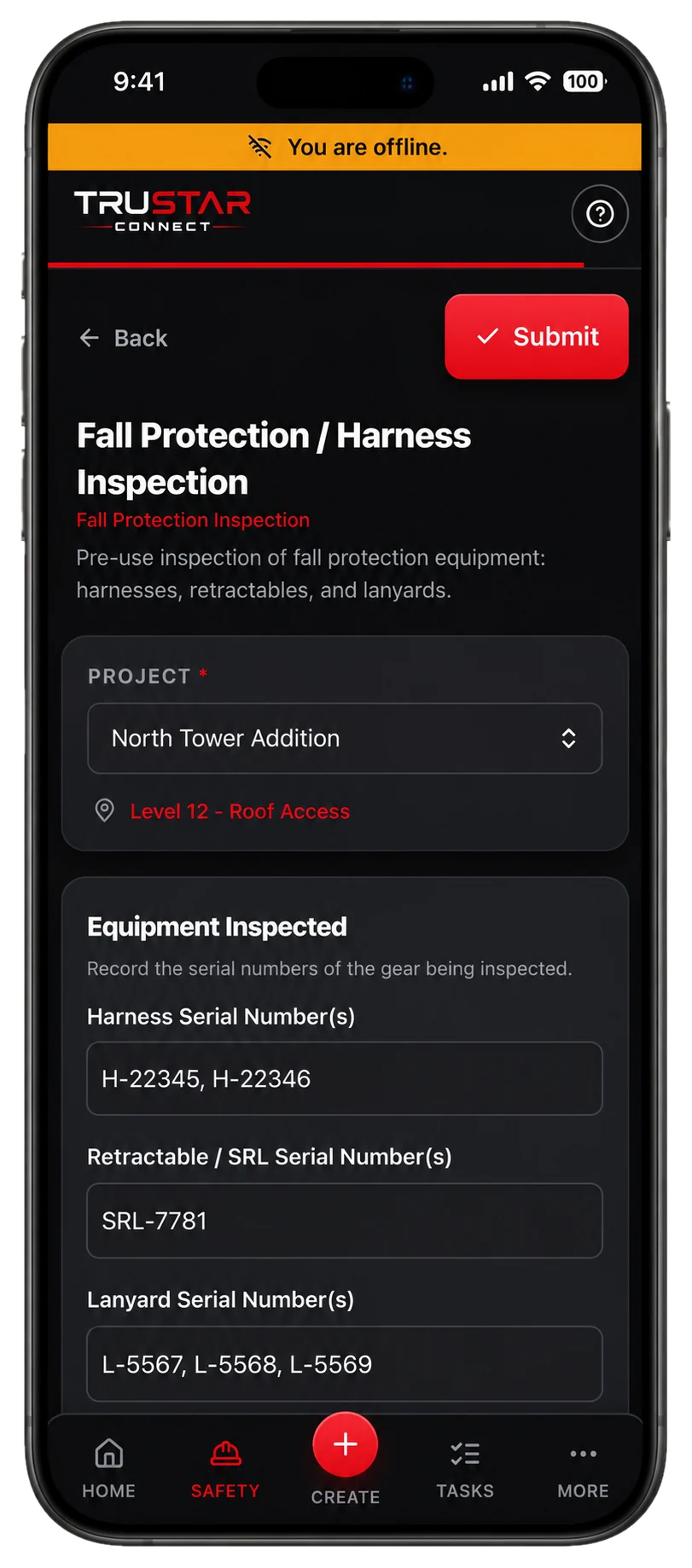
Remote site, dead zone, locked-down facility: crews still complete inspections, forms, and permits with no connection. Everything syncs automatically the moment they are back in range, with nothing re-keyed.
TruStar One Card
Every worker's tickets, one scan away.
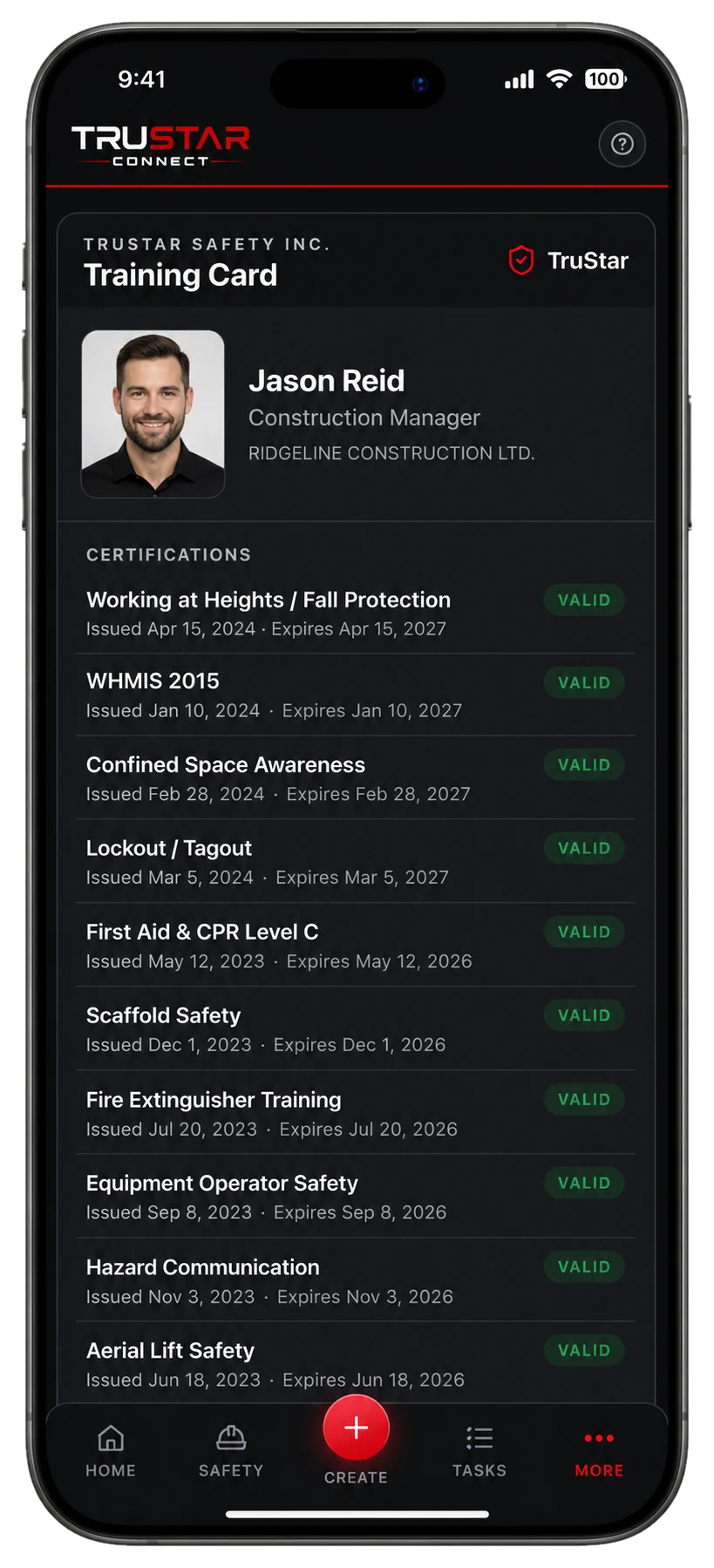
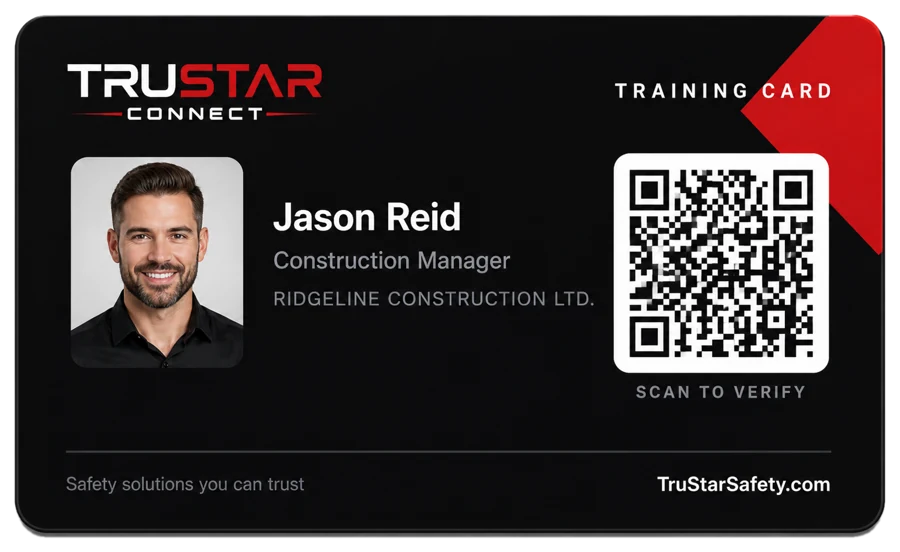
A digital training card for each worker, with a QR code anyone can scan to verify certifications on the spot. Print a wallet-sized card or add it to a phone. No more chasing paper tickets at the gate.
Daily Reports
Daily progress, sent to the client on time.
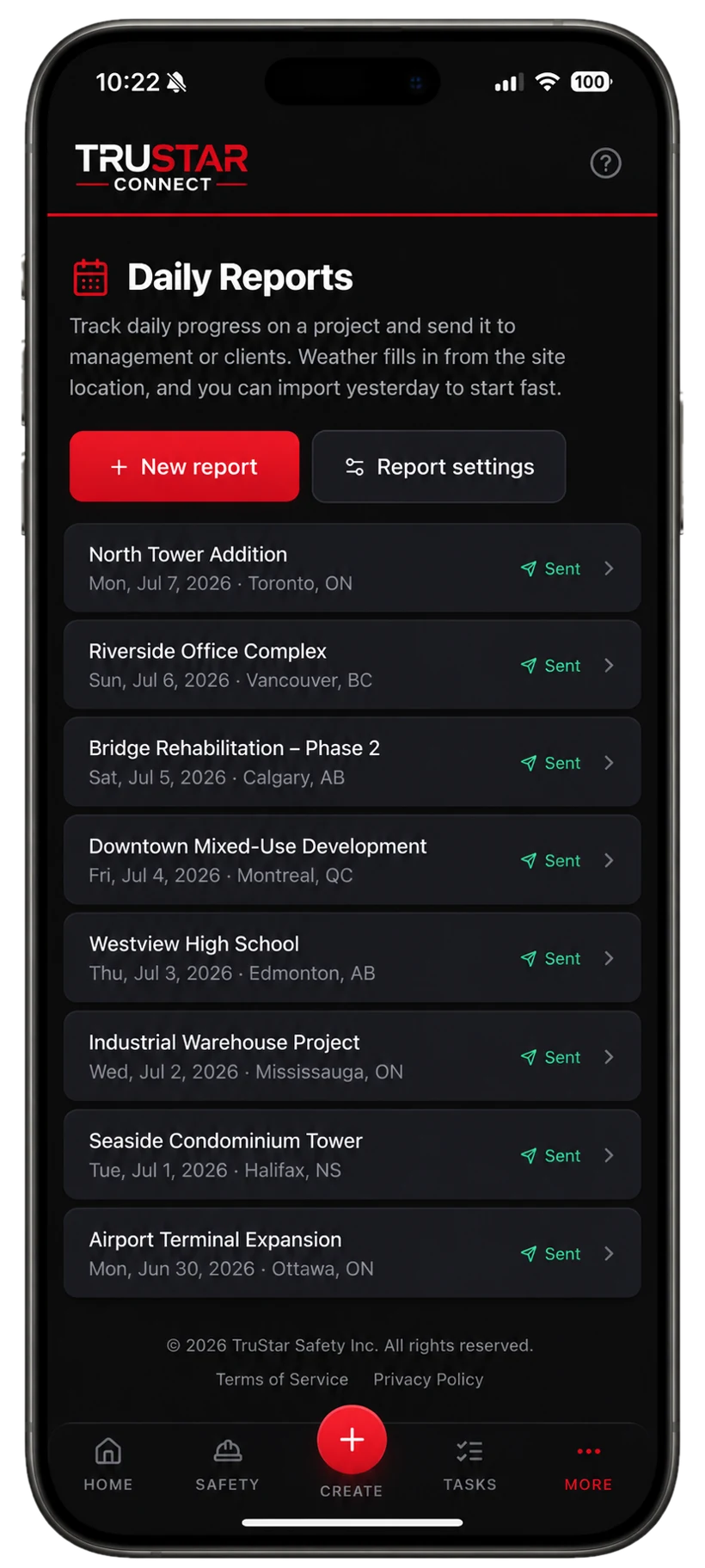
Manpower that rolls up by role, equipment hours, and weather pulled automatically from the site location. Send a branded PDF to management or the client, and amend and resend if anything changes.
Crew Scheduling
See who's on shift across every crew.
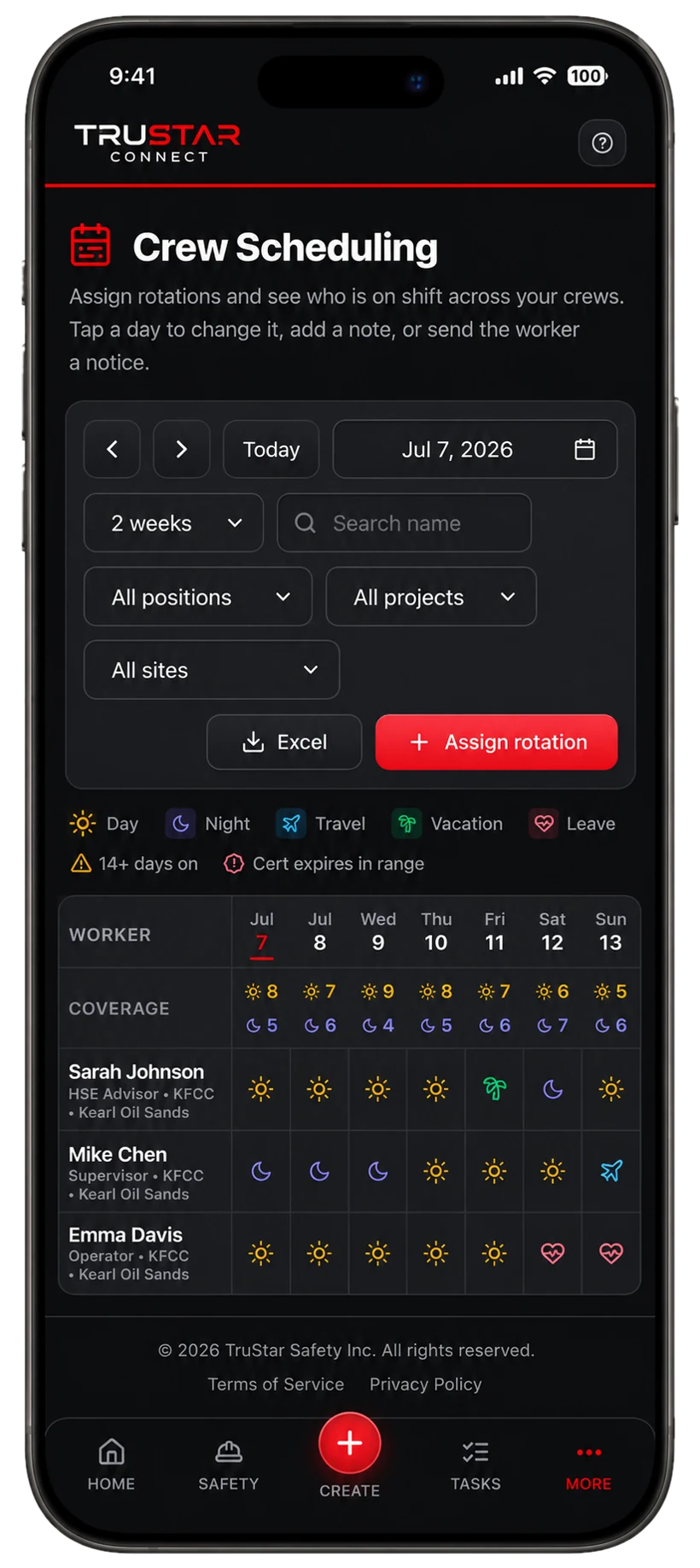
Assign rotations and watch coverage fill in across projects and sites. The schedule flags fatigue when someone hits 14+ days on, and warns when a certification expires mid-rotation.
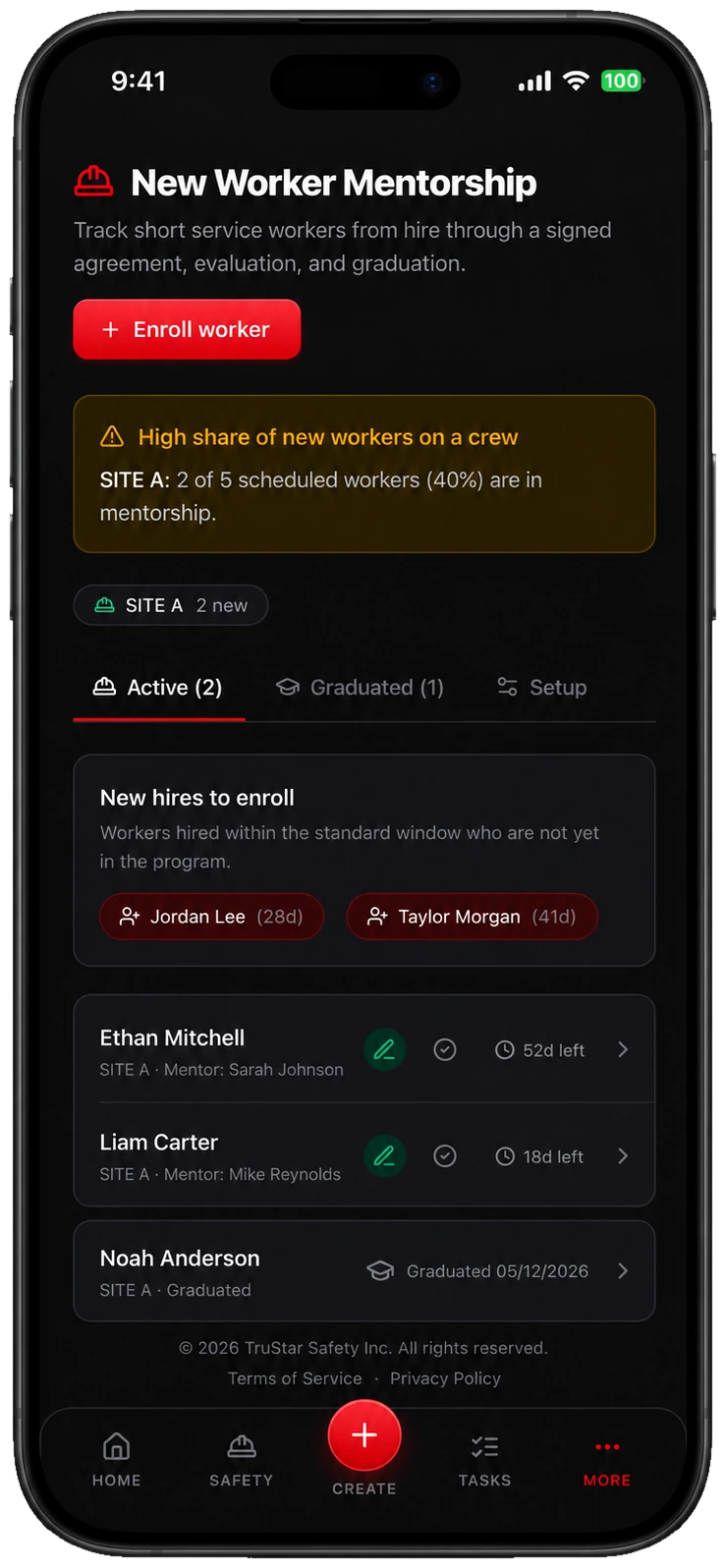
New Worker Mentorship
Bring new workers up to speed, safely.
Track short service workers from their start date through a signed mentorship agreement, a mentor competency evaluation, and a supervisor graduation sign-off. See how many new workers are on each project, with a green hard hat beside them in the crew schedule.
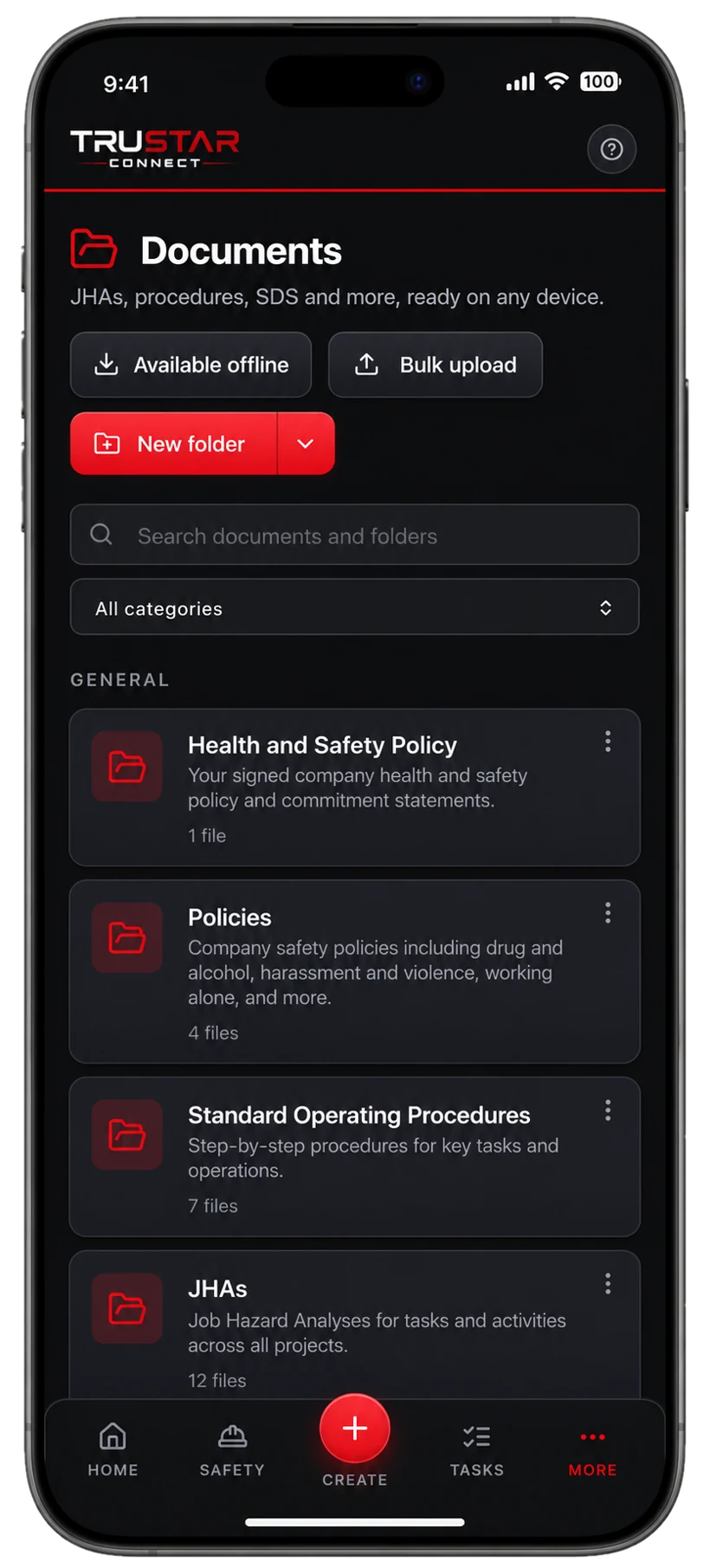
Documents
A COR-ready library on every device.
Policies, procedures, JHAs, and SDS in one controlled library, available offline, with AI drafting that you review and approve before anything is published.

The TruStar Connect brochure
See exactly what the platform does and how it keeps your COR and SECOR evidence audit-ready. Get the full brochure sent straight to your inbox.
- Every module explained in plain language
- Join codes, hosted training and TruStar Safety Academy
- What sets it apart from other EHS platforms
See TruStar Connect in action
Start a free 14-day trial in minutes, or book a walkthrough and we will show you how it fits your operation.